 Vivenso
Product 04 · Windows PDF application

Everyday paperwork.
Ready for its next step.
Fill a form, add your signature and put the pages in order. VL PDF brings everyday PDF tools together on your Windows PC.
What it does
The jobs that sit between opening a PDF and sending it.
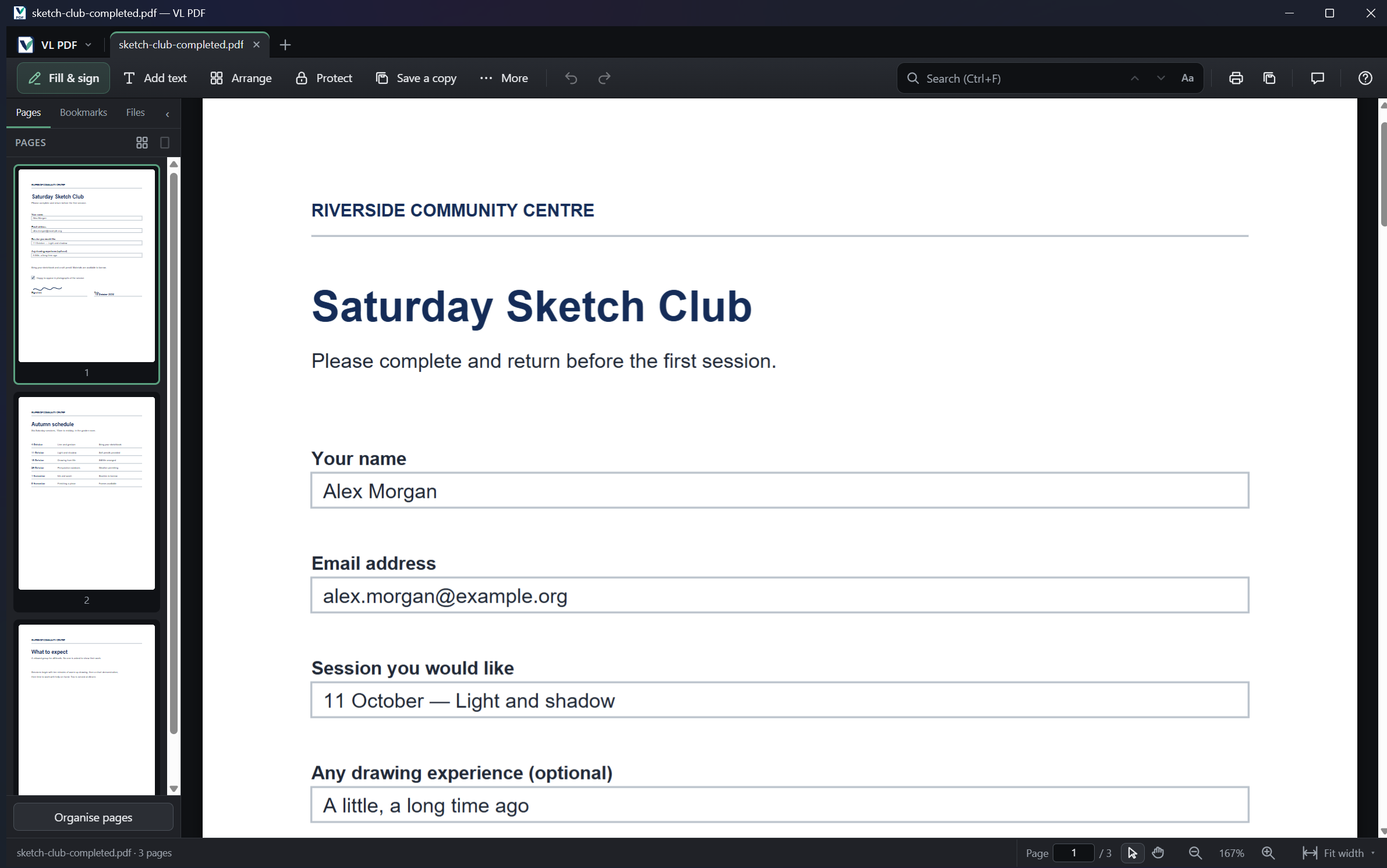
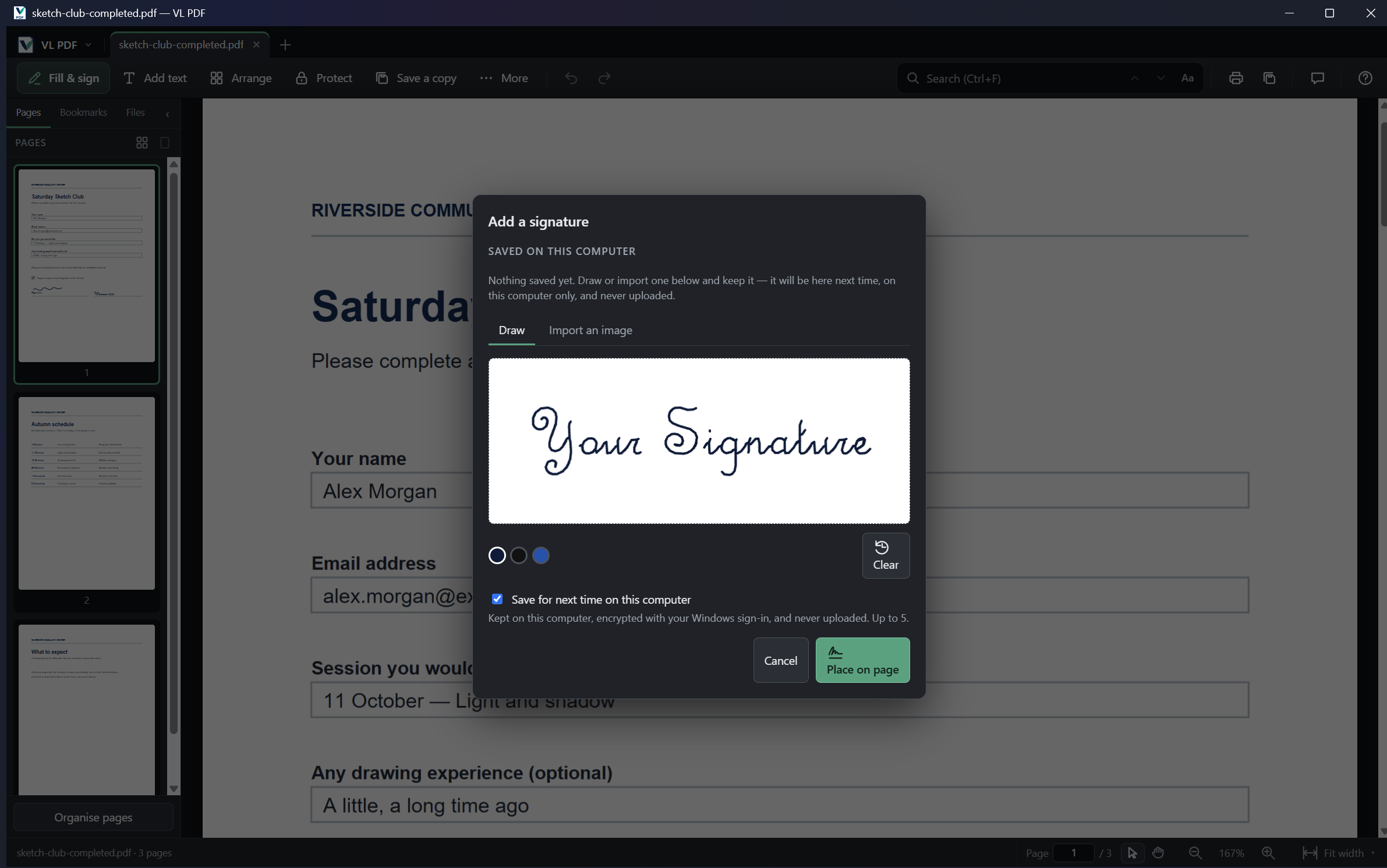
Fill and sign
Complete form fields, add text and place a drawn or imported signature.
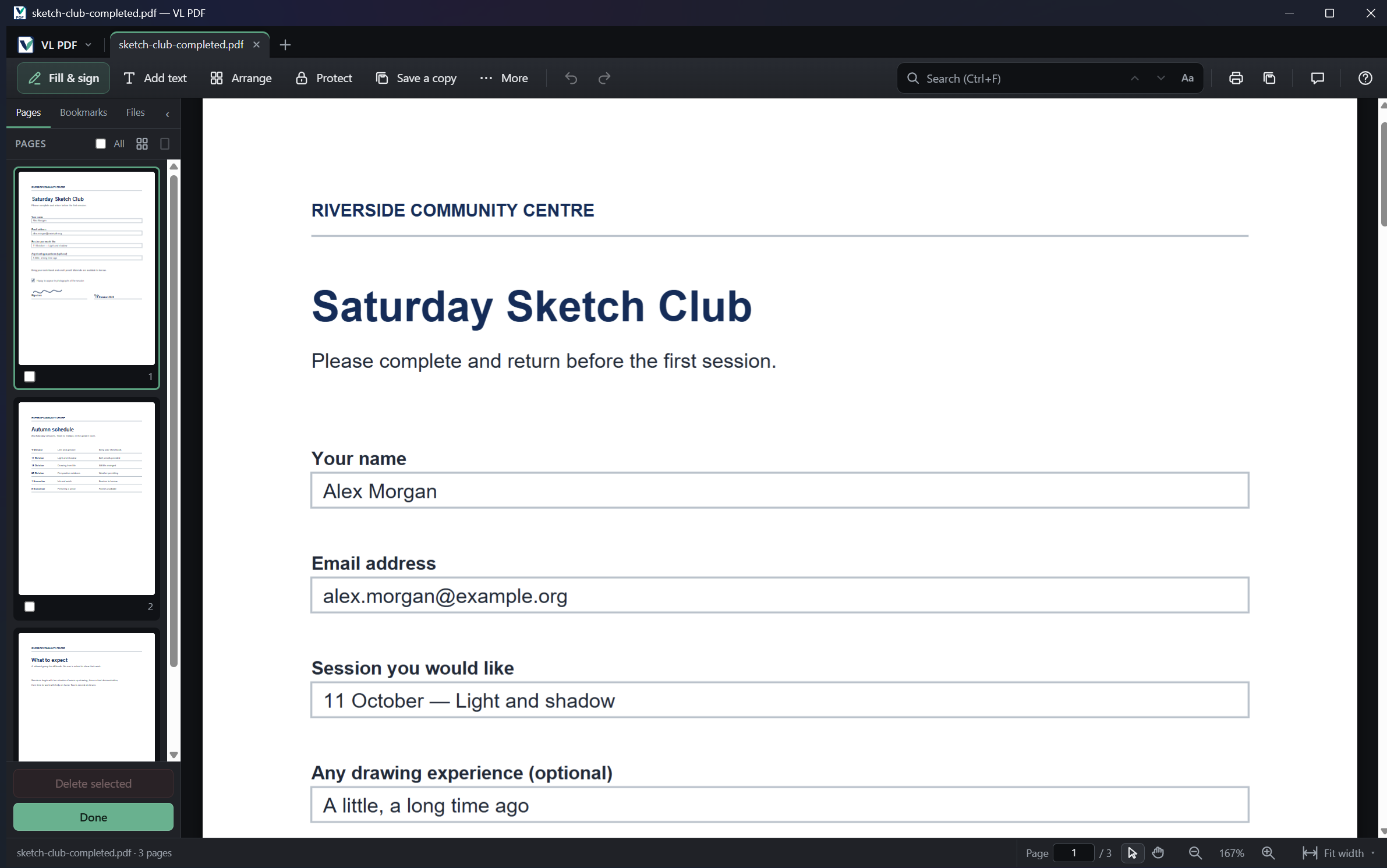
Organise pages
Combine documents, rearrange pages and keep just what you need.
Read and prepare
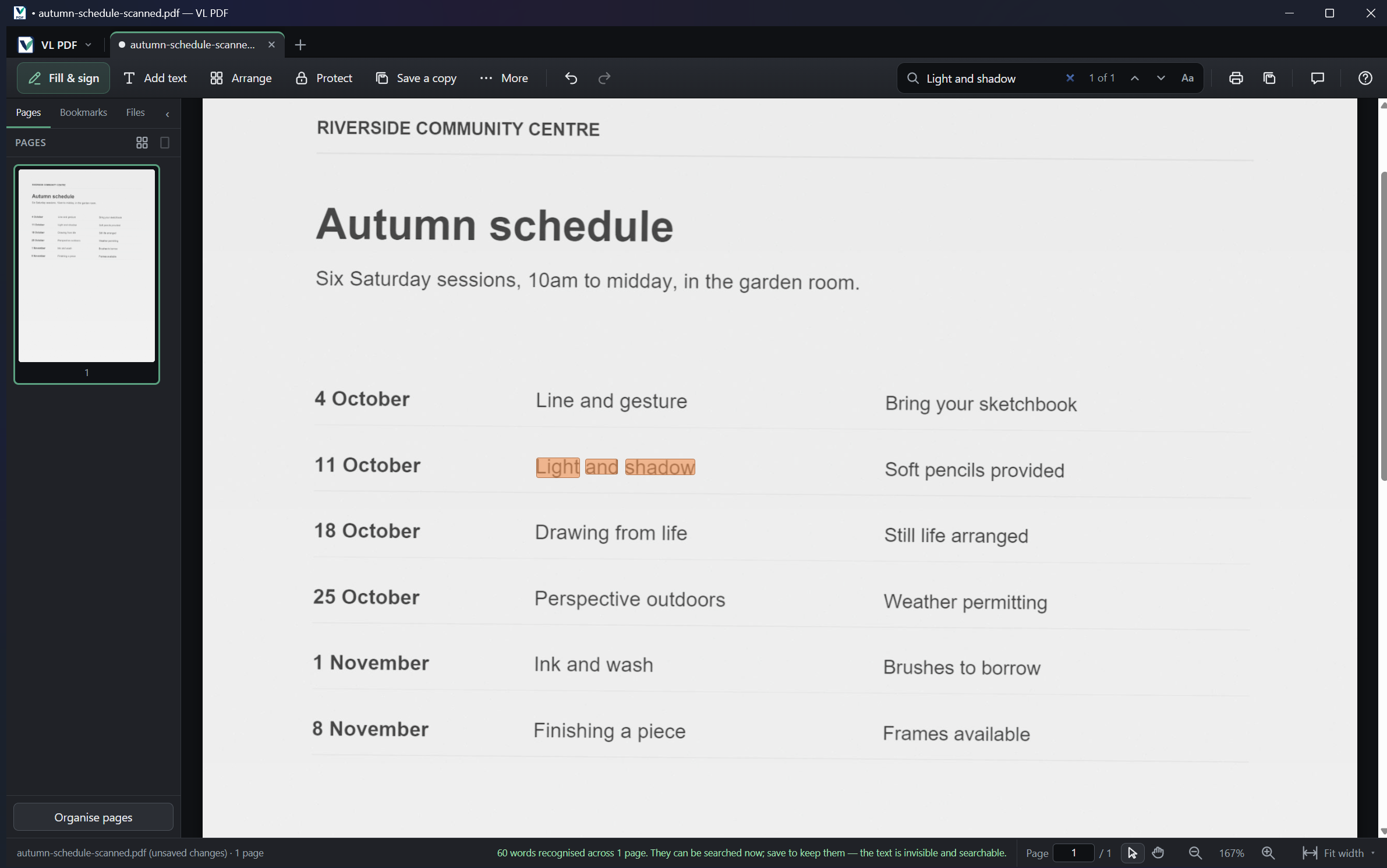
Search, annotate and print. Use local text recognition to make scans searchable.
Adding text and annotations is supported; rewriting the original PDF text or images is not. Word export extracts text rather than reproducing the page layout.
On your PC
Your document stays with you.
The local PDF tools process your documents on your computer, without a document upload or an account. The app uses the internet for update checks and downloads.
Previously called Filekin Studio, the application now uses the VL PDF name and identity. The preview installer still carries the Filekin Studio packaging name.
Who it is for
For your own work. For your organisation.
Personal and self-employed
Free for your own documents, studies and self-employed work, including work for your clients.
Organisations
AED 200 per named user per year, or US$54.99 · €48.99 · £39.99, plus VAT where applicable. Every update and email support during the year; stop renewing and keep the version you have.
Try the app
Download VL PDF for Windows.
The current download is an open preview. The product website carries the installer version, checksum and installation guidance.
Windows x64. The preview uses a test certificate, so Windows or your browser may show a warning. Organisations can license it now: a licence covers this preview and every update released during its year.
In the app
A look at the current interface.
Actual captures from VL PDF 0.3.47. Open a picture to inspect it at full size.
Help
A clear place to get help.
For support, testing or organisational licence enquiries, email support@vl-pdf.com.
The dedicated product website is the home for VL PDF features and download details.